07-22-2019 - Technology
How to Set up for ACES Output in both the VENICE and RAW Viewer
By: SonyCine Team
How to Set up VENICE for an ACES workflow
VENICE should be set to the following Record format and Input Color Space for shooting.
VENICE Camera setting:
AXS Rec format: RAW or X-OCN recording (AXS-R7 is required) Input Color Space: S-Gamut3/S-Log3.
RAW Viewer
How to export an ACES container
1. The latest software can be downloaded at the following web page.
http://www.sonycreativesoftware.com/rawviewer
This application must be installed to create an ACES file. Both Windows and Mac OS-X versions of RAW Viewer are available.
Applicable software version: V3.3 or later Release date: June, 2019
2. Open target clip using ‘Clip Browser’ Select in/out frames for export using ‘Mark-In’ and ‘Mark-Out’ using Clip Viewer.
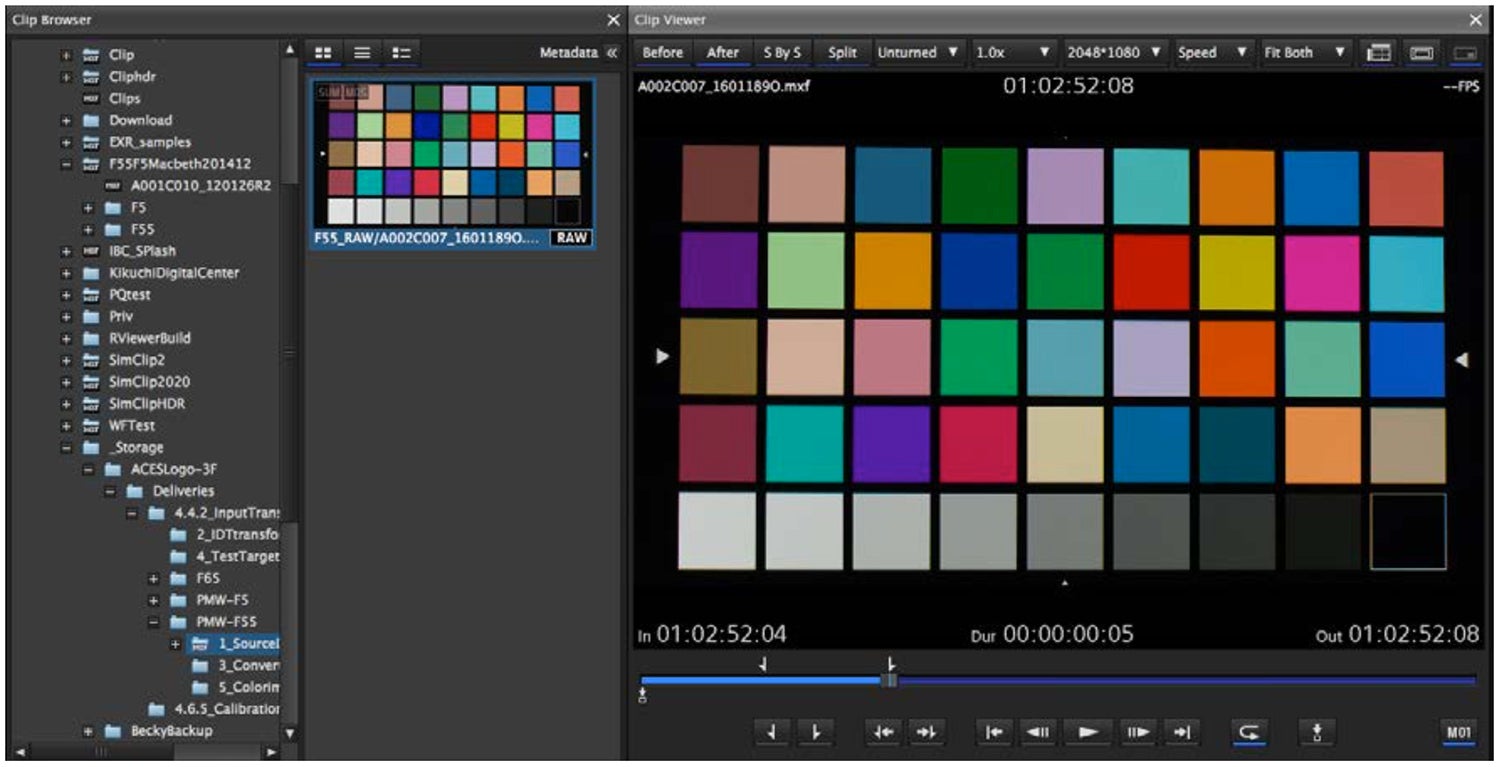
Setting In and Out, arrows above
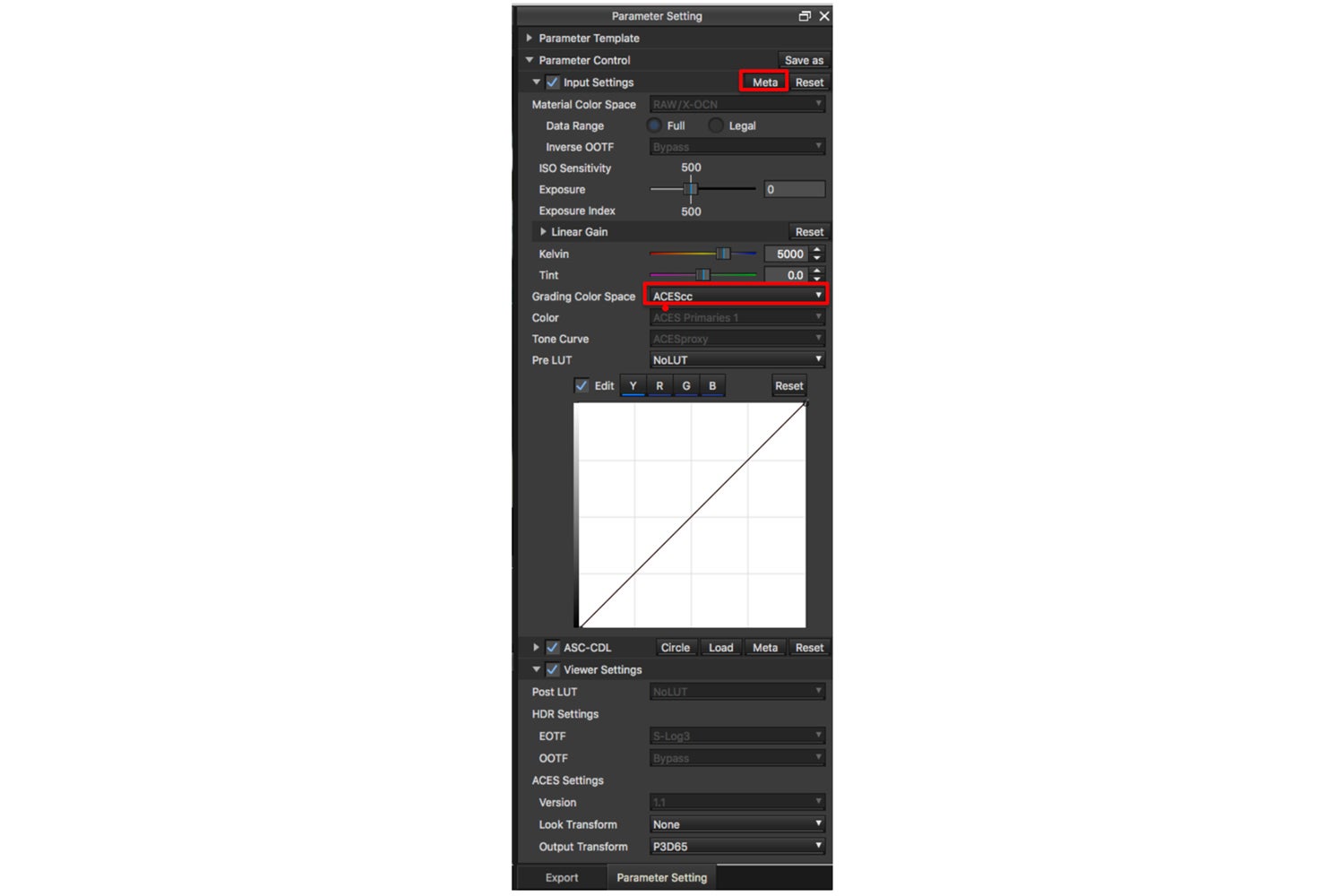
3. As seen in the red boxes below, select the “Meta” button in the Parameter Setting window and load the camera setting - Exposure, White Balance adjustment.
4. Select “ACEScc” in the Parameter Setting window. The appropriate IDT is applied automatically based on metadata.
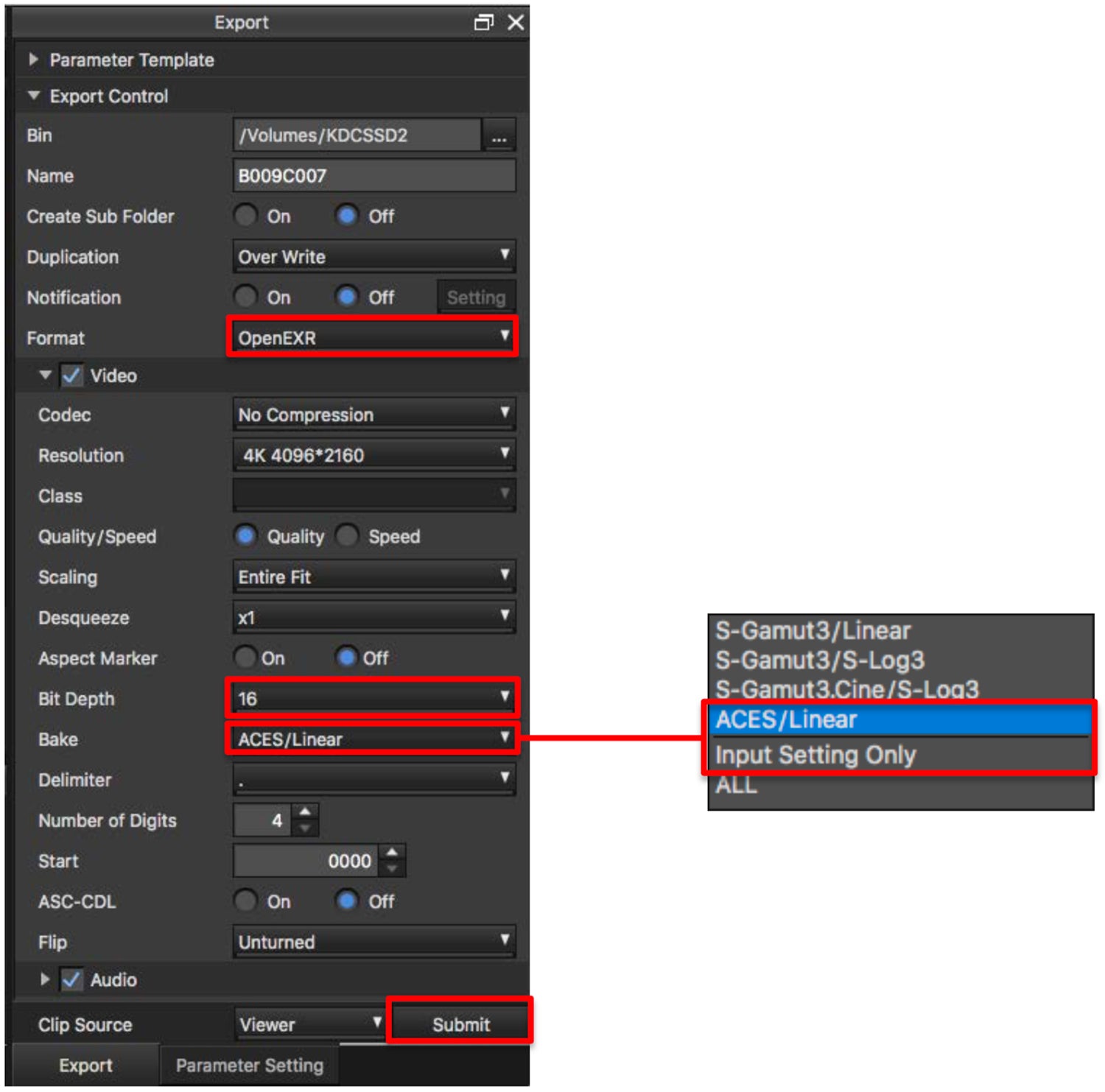
5. Set exporting directory, filename and other status in Export window.
6. Select “Open EXR” as Format in the Export Control tab.
7. Select “16” bit for Bit Depth.
8. Select “ACES/Linear” on Bake selections if you want to export files with the camera setting which was set on the VENICE camera. Select “Input Setting Only” on Bake selections if you want to apply additional Exposure and White Balance adjustment by RAW Viewer.
9. Push ”Submit” button at the bottom of the Export window to start exporting in an ACES container.